Dual-band firmware for Seeed Studio XIAO ESP32-C5
D.A.R.S.
Dual-Band
Remote ID
Airspace awareness that includes the drones broadcasting only on 5 GHz.
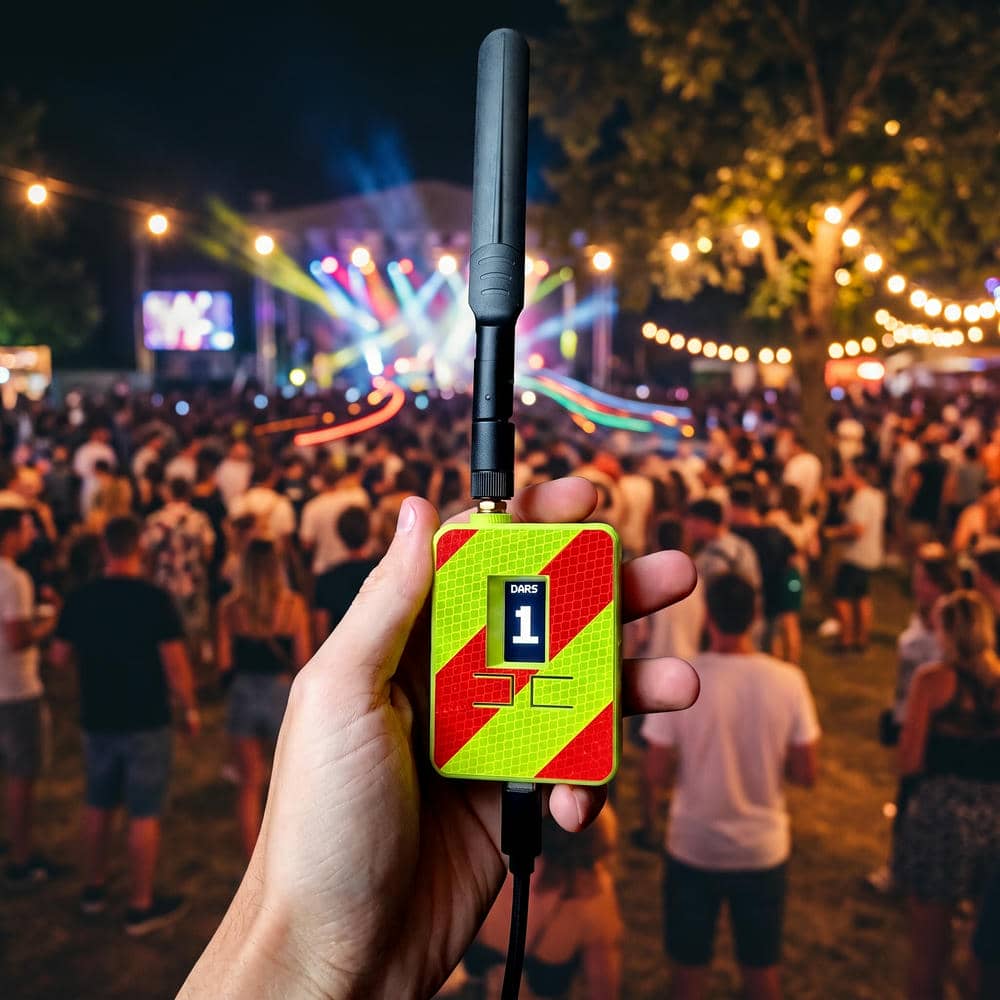
Most Remote ID receivers listen on 2.4 GHz only. The dual-band build turns a
Seeed Studio XIAO ESP32-C5 into a passive Remote ID receiver that
scans both 2.4 GHz and 5 GHz WiFi plus Bluetooth — so the drones that
broadcast their Remote ID on the 5 GHz band, invisible to a single-band receiver, are part
of your airspace picture too. Every detection is relayed to the D.A.R.S. Android app, for
real-time awareness of who is flying nearby and safer operations.
It is a build-it-yourself receiver: you supply your own XIAO ESP32-C5 and flash it from your
browser — no soldering, no IDE. Run it as a compact bare board, or drop it onto the
Seeed XIAO Expansion Board to add an OLED display and a buzzer for
alerts. 3D-printable case models are provided for both builds. (No LoRa
mesh — that stays exclusive to the ready-made C6L.)
What you're buying: the dual-band firmware licence for one device. The D.A.R.S.
Android app is a free download for everyone (with an optional in-app PRO upgrade).
D.A.R.S. is independent third-party firmware and is not affiliated with, endorsed by, or produced by Seeed Technology Co., Ltd or Espressif Systems. "Seeed Studio", "XIAO" and "ESP32-C5" are trademarks of their respective owners. 5 GHz Remote ID reception depends on drones actually broadcasting on that band and on lawful RF operation in your country.
Watch · 3 minutes
What D.A.R.S. does, explained
Captions are available in the player controls.
What it does
Wide-spectrum Remote ID, on one board
The XIAO ESP32-C5 has a dual-band radio, so this build listens across 2.4 GHz, 5 GHz and Bluetooth at once and relays every Remote ID detection to your phone.
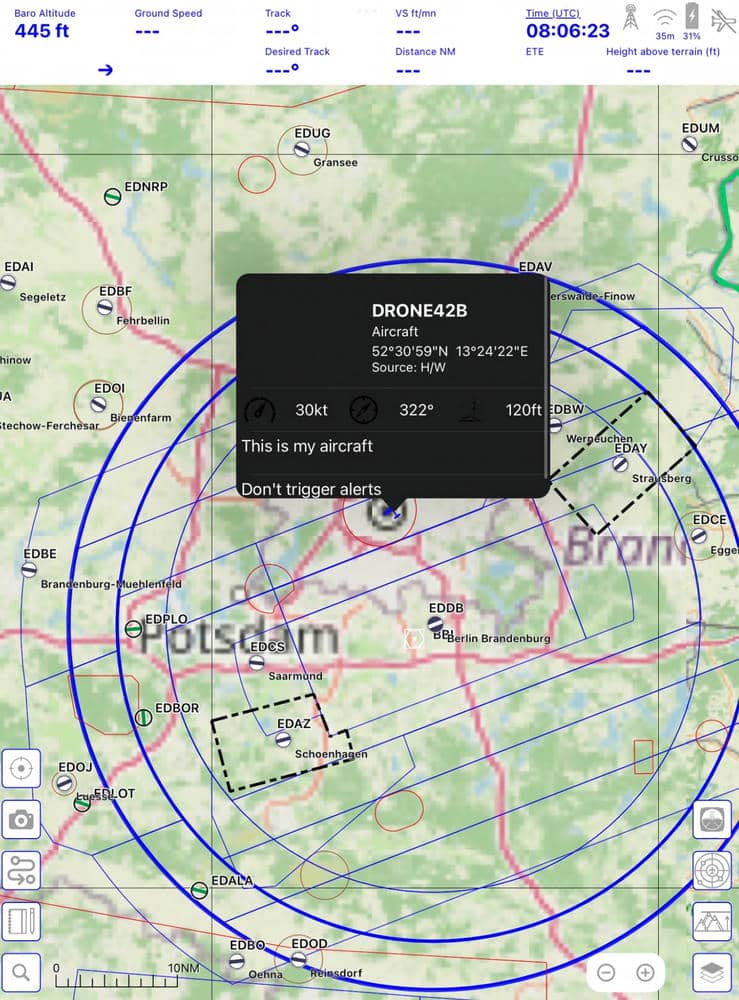
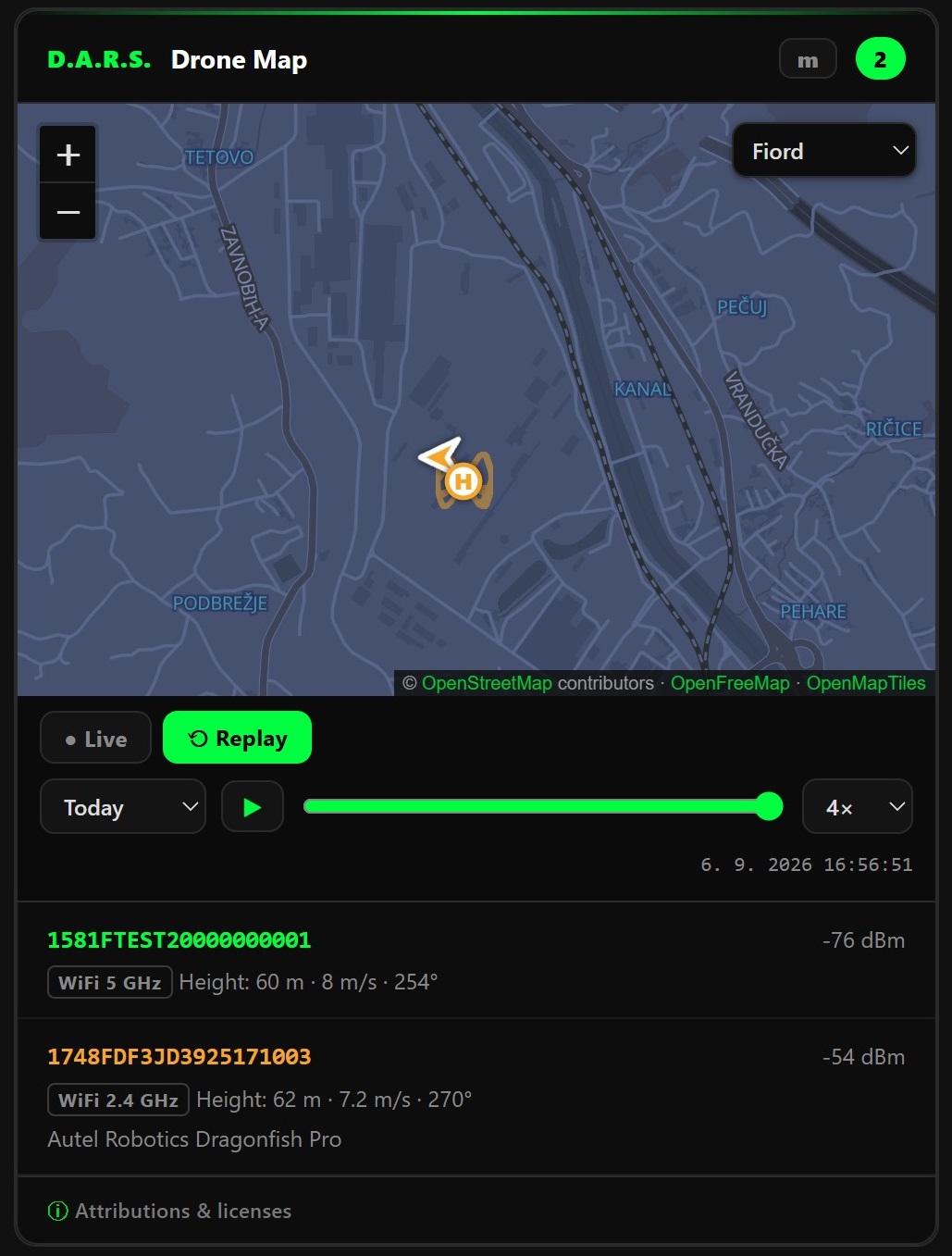
getdars/dars-homeassistant), MIT-licensed. Because it runs in
Home Assistant, iPhone & iPad users can view it too, through the Home Assistant app.
Not affiliated with or endorsed by Home Assistant, the Open Home Foundation, or Nabu Casa — see Terms §9.13.
Operating Modes
Two ways to reach your phone
The dual-band build is a focused Remote ID sensor: it scans 2.4 GHz + 5 GHz WiFi and Bluetooth, and streams detections to the D.A.R.S. Android app. Pick how it connects.
Good to know — one firmware, two builds
The same licence runs two ways. Bare XIAO ESP32-C5 — the most compact build; detections go to your phone. XIAO + Expansion Board — adds an OLED display, buzzer alerts, and microSD detection logging for a stand-alone, at-a-glance airspace monitor that keeps its own record. The firmware auto-detects the board, and there are 3D-printable case models for both so you can enclose whichever you build.
The one thing it does not do is LoRa mesh (no LORA/MeshCore or SENSOR mesh-publishing mode) — the XIAO has no LoRa radio, so that stays exclusive to the C6L. Want a single ready-made unit with LoRa mesh out of the box? See the C6L →
Get D.A.R.S. Dual-Band
Wider airspace awareness for safer flying. The dual-band build sees 2.4 GHz, 5 GHz and Bluetooth Remote ID at once and feeds it to your phone — so nearby drones, including the 5 GHz-only ones, are part of your picture. One purchase, one device — no subscriptions, no cloud dependency after activation. Updates within the same major version are included.
What you're buying
The D.A.R.S. Android app is a free download for everyone — not part of this purchase. An optional in-app PRO upgrade (detection logging & export, history, friendly-drones list, webhook / MQTT) is available separately inside the app.
Requirements
- Seeed Studio XIAO ESP32-C5 board — sold separately; obtain from Seeed Studio or an authorised distributor (§11.6). We recommend the "Pre-Soldered" version with headers already fitted — it plugs straight into the Expansion Board with no soldering required. Runs on the bare board, or on the optional Seeed XIAO Expansion Board for an OLED display, buzzer and microSD detection logging (add your own microSD card; also sold separately).
- Optional — for greater range: the XIAO ESP32-C5 ships only with a small FPC antenna. For meaningfully longer detection range, add a separate dual-band (2.4 / 5 GHz) antenna with a U.FL / IPEX-to-SMA pigtail — sold separately. The FPC antenna works out of the box; the external antenna is a range upgrade.
- A desktop Chrome or Edge browser (v89+) to run the web installer — Web Serial is required; Firefox and Safari are not supported.
- Android 8.0+ for the companion app — a free download for everyone (optional in-app PRO upgrade). There is no iPhone / iPad / iOS version of the D.A.R.S. app, so the live detection feed needs an Android device.
You are responsible for ensuring that reception and radio operation are lawful in your country (drone, radio-frequency & privacy rules) — see Terms §12.
What is PRO? The D.A.R.S. Android app is a free download for everyone. PRO is an optional upgrade that unlocks the app's advanced tools:
- ✓ CSV detection logging & log-file location
- ✓ Detection history & replay
- ✓ KML export (view tracks in Google Earth)
- ✓ Friendly-drones list
- ✓ Webhook forwarding & MQTT publishing
Buy Firmware + PRO here and PRO unlocks in the app automatically when it connects to your device — nothing to buy in the app, and the entitlement stays with the device. PRO is also available on its own as a one-time in-app purchase later. (The AGL height feature and the live map/alerts are free for everyone.)
Prefer a plug-and-play receiver with a display, alerts, a 3D-printable case and LoRa mesh? The M5Stack Unit C6L build is the ready-made option.
Processed securely by Paddle, our Merchant of Record. Any VAT / sales tax is calculated and shown at checkout. Your tax invoice is issued by Paddle; your licence contract is with the Seller. By purchasing you agree to the Terms & Conditions.
The Android app is a free download (optional in-app PRO) and is not part of this purchase — see §9.10.
Questions
Frequently asked questions
What exactly am I buying for €34?
You are buying the D.A.R.S. dual-band firmware licence for one device — a one-time payment, no subscription. The hardware (a Seeed Studio XIAO ESP32-C5) is not included and is purchased separately from an electronics retailer. The Android app is a free download for everyone.
What is different about the dual-band (C5) build vs the C6L?
The dual-band build runs on a Seeed Studio XIAO ESP32-C5 and adds 5 GHz WiFi Remote ID reception on top of 2.4 GHz and Bluetooth — so it hears drones that announce on 5 GHz and would slip past a 2.4-GHz-only receiver, for fuller airspace awareness. It is a build-it-yourself receiver: run it on the bare XIAO, or on the XIAO Expansion Board to add an OLED display and buzzer alerts, with 3D-printable cases for both. The one thing it does not do is LoRa mesh (no LORA or SENSOR mesh modes) — that stays exclusive to the M5Stack Unit C6L build, which is the single ready-made unit with a display, alerts, a case and LoRa mesh out of the box.
What hardware do I need?
A Seeed Studio XIAO ESP32-C5 (dual-band ESP32-C5 board) and an Android phone for the companion app. Optionally the Seeed XIAO Expansion Board, which the firmware auto-detects to add an OLED display and buzzer alerts. 3D-printable cases are provided for the bare board and the expansion build. Installation is from a Chrome-based desktop browser over USB — no drivers, no IDE, no soldering.
Which drones broadcast Remote ID on 5 GHz?
Remote ID is defined over WiFi (2.4 GHz or 5 GHz) and Bluetooth, and the band is the transmitter's choice. Most consumer drones broadcast on 2.4 GHz, which a single-band receiver already covers — but some aircraft and configurations announce on 5 GHz WiFi instead, where a 2.4-GHz-only receiver hears nothing. The dual-band build watches both bands so you are not blind to the 5 GHz ones. A drone that broadcasts no Remote ID at all cannot be detected by any receiver.
Can I see detections on a DJI Pilot 2 / enterprise controller?
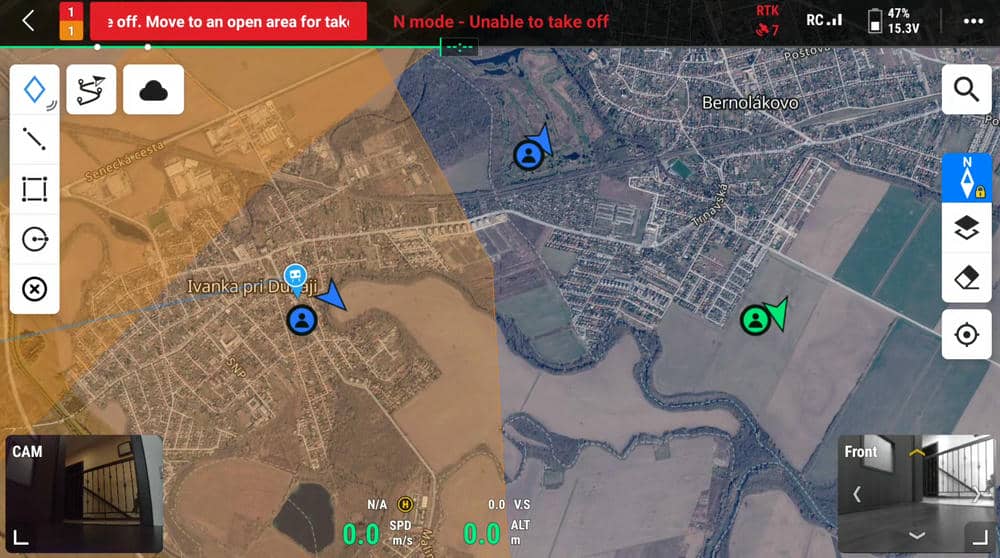
Yes. The app's free Enterprise Map feature puts detected drones onto the map of a DJI enterprise controller running Pilot 2, as live traffic alongside your own aircraft — no PRO required. It installs as a sideload package (DJI enterprise controllers have no Google Play) and uses your own free DJI Cloud API credentials. The app can also feed any Electronic Flight Bag that accepts GDL-90 traffic over Wi-Fi. Both are advisory only.
Will it detect DJI drones?
Yes — for DJI aircraft that broadcast standards-compliant Remote ID (ASTM F3411 / ASD-STAN), which covers models built to meet the FAA and EU requirements. It does not decode DJI's older proprietary “DroneID” telemetry, which is a separate protocol on the OcuSync control link. A drone that does not broadcast Remote ID at all cannot be detected by any Remote ID receiver. More on this.
What detection range should I expect?
Realistically a few hundred metres in built-up areas, extending
toward roughly a kilometre with clear line of sight. Remote ID is low-power consumer
radio, so range is governed mostly by obstructions and antenna placement — and by
the drone's transmitter, not by the receiver.
It also depends heavily on the antenna you use. The XIAO ESP32-C5
includes only a small FPC antenna, which is fine for nearby traffic;
fitting a proper external dual-band antenna via a U.FL / IPEX-to-SMA
pigtail (sold separately) can improve range and reception noticeably.
Why not just use an app on my phone?
Most phones cannot put their WiFi chip into the monitor mode required to capture WiFi Beacon Remote ID, so a phone-only setup typically sees the Bluetooth half of local traffic and misses the WiFi half. D.A.R.S. does the WiFi capture your phone can't, scans Bluetooth at the same time, and relays the combined feed to the app.
Is it legal to receive Remote ID?
Remote ID broadcasts are unencrypted and intended to be publicly readable — that is the purpose of the regulation — and D.A.R.S. is a passive receiver that transmits nothing at the aircraft. Radio and privacy law nonetheless varies by country, and what you do with collected data may be regulated. This is general information, not legal advice; check your local rules.
Does it need an internet connection?
Only once, to activate your licence during installation. After that, detection runs fully offline — Remote ID is received directly over the air from the aircraft, with no cloud service involved.
Can I use one licence on several devices?
No. A licence key is locked to one device. If you want to run a second receiver, buy a second licence.
Can I get a refund?
Because the licence key is delivered immediately as digital content, you waive the 14-day withdrawal right at checkout in order to receive it straight away. Full detail is in Terms §8. If the firmware does not work on supported hardware, contact just@getdars.com.